Switching from Craft to Obsidian
After 4 years of using Craft for my primary notetaker, I’ve decided to move everything to Obsidian. In the post below, I’ll lay out my thinking and my setup.
What I liked about Craft
The thing that drove me to craft to begin with was the native macOS and iOS apps, and the incredible rich formatting of text. Craft still has the best swipe-to-indent feature of any notes app on iOS. You can write a bullet point list quickly and just swipe left or right to indent and structure that last.
Craft also has the best layout of images. When I drag several images to a note, it structures them into a clean layout that looks like a mini gallery. Given how much information originates from photos or screenshots, I use this functionality a ton. Craft was even more powerful because it’s simple indent / outdent functionality also works on images. This allowed me to structure large collections of visual information quickly.
As basic as these features sound, very few other note applications offer these features. I’ve tried everything from Bear to Apple Notes, UpNote (this is very close), NotePlan, and Anytype.
What I didn’t like
It wasn’t obvious at first, but over years of use it slowly emerged that Craft’s navigation was not quick, nor was it intuitive.
Ultimately, I think it was a bunch of smaller UI choices that compounded to make navigation feel extremely clumsy. The first one that comes to mind is on macOS, when you click into a document, the folder navigation disappears and is replaced by a completely useless window that I’ve never used. This prevents me from moving to the next folder or document I want to work on.
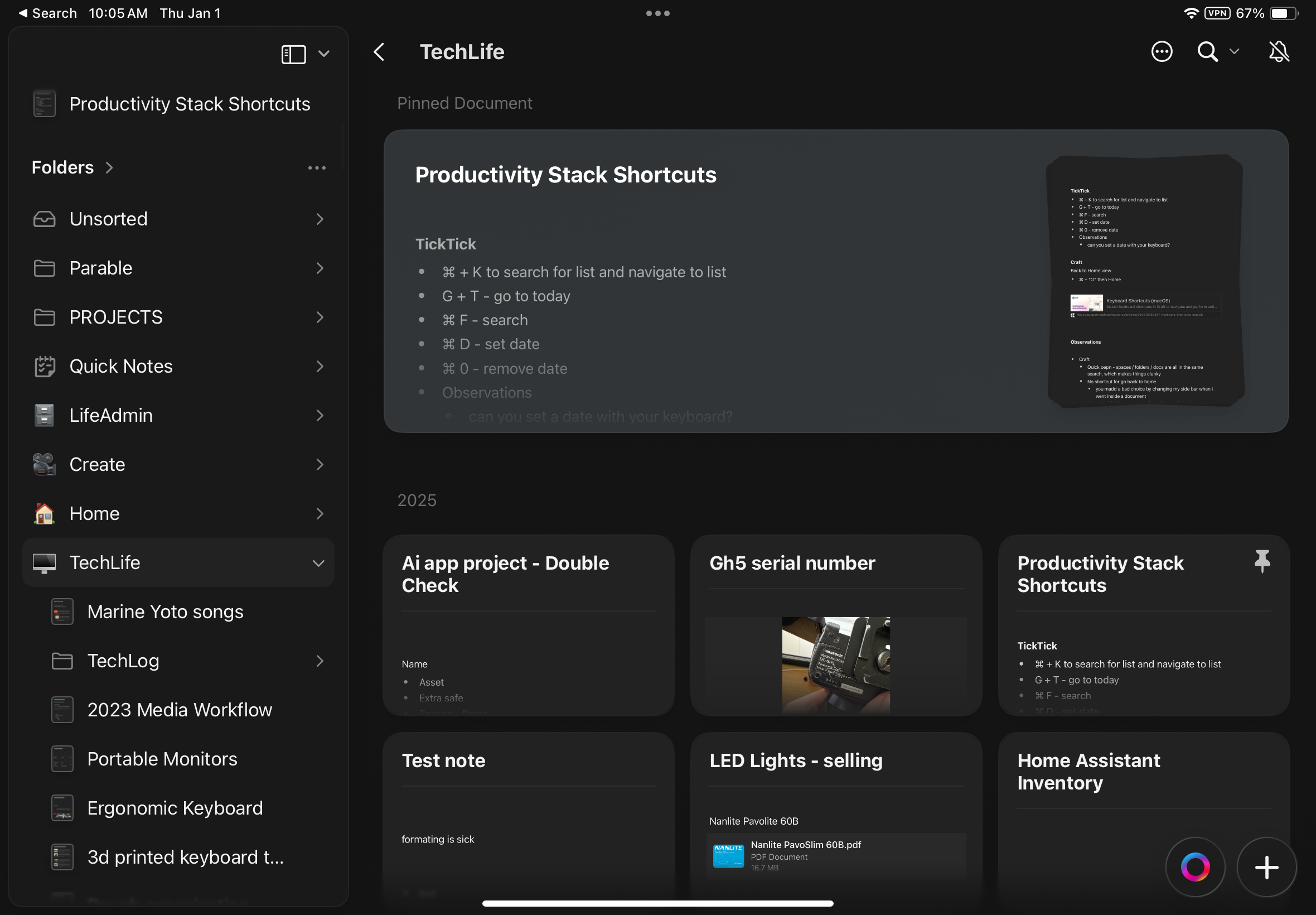
Here I’m viewing my “Techlife” folder and I click into a document.
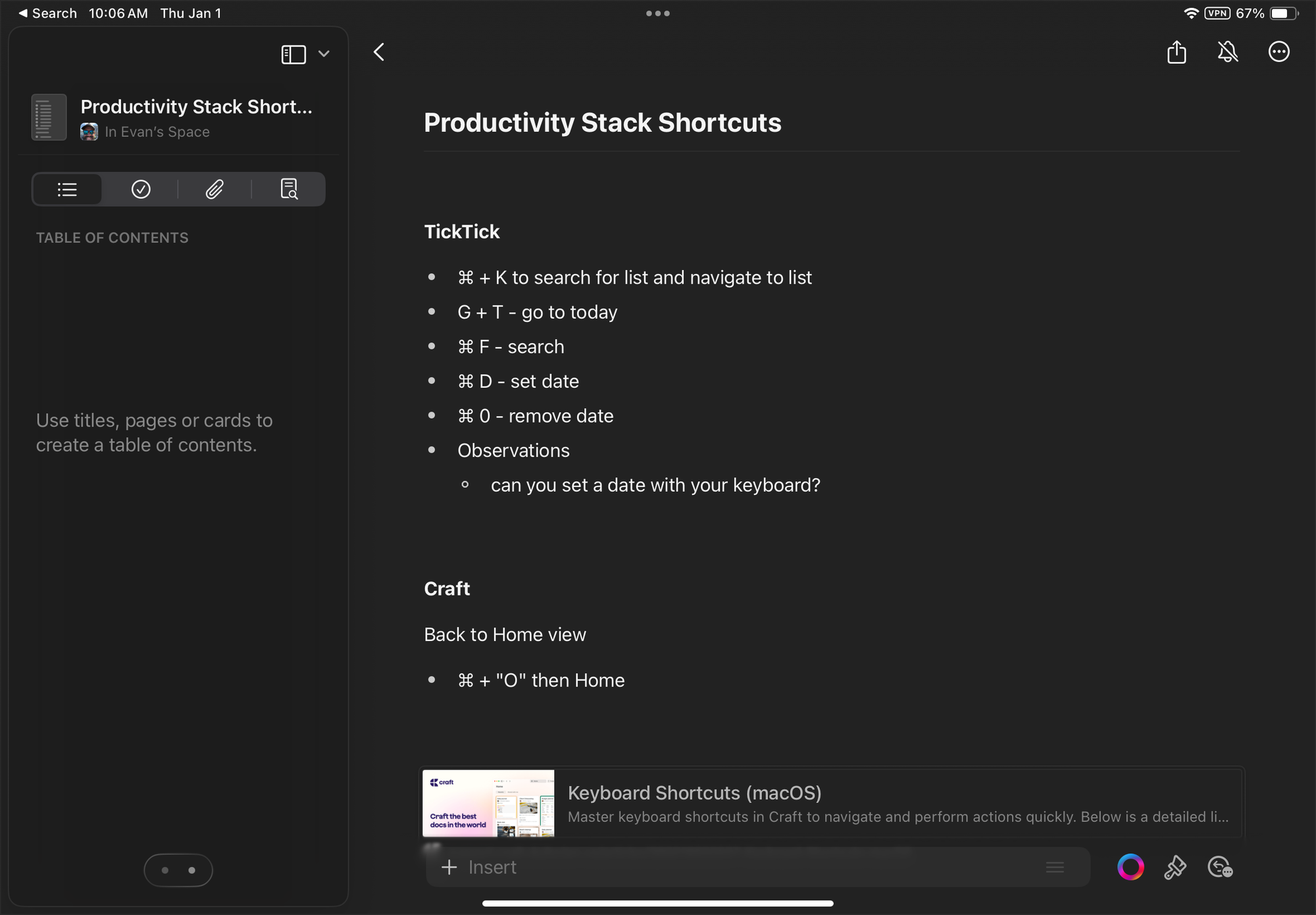
Now the sidebar is replaced by “table of contents”, which I’ve never used. I want this to remain on the folder structure.
Next was the quick open functionality. When you do a search, it shows you your results from your documents, your folders, and your blocks. Very frequently the thing I was searching for would be quite far down the list, which made the search extremely slow and not a way to solve the slow navigation problem of the app.
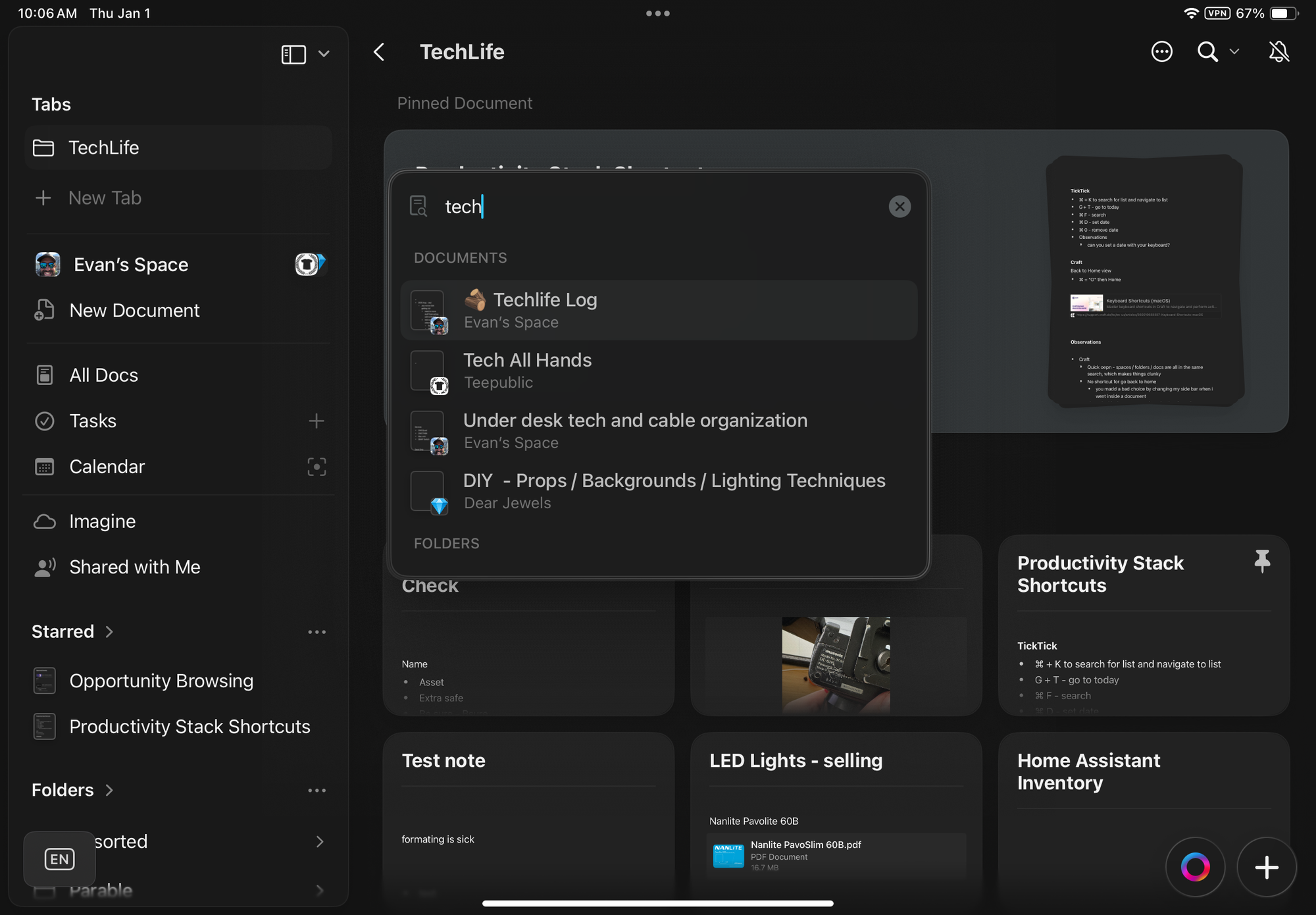
Other frustrations included the search functionality. If I was searching for a document, the search would present me with a list of potential documents that it found, but then when I would click into that document to see if it contained what I need, the search result would disappear. It’s the same frustrating lack of persistent navigation that I had above with the folder structure.
Last but not least was the direction of the app. Most of the development seemed to be on collaboration features (that I never used) or on AI features that I found underwhelming. I really wanted to be able to ask an AI questions about my notes, and I had no interest in using an AI within a particular note (they may have addressed some of this with the recent release of MCP functionality)
Overall, these navigation choices lead to me always feeling disoriented. Usually when I use an app for 4 years, I get more familiar with that app over time. In this case, I felt as disoriented on year 4 as I did on year 1, and ultimately that's the thing that pushed me to change.
Why I chose Obsidian
I had tried Obsidian before, but I failed to figure out how to use it because I made the common mistake of trying to do far too much from the start. This time I had a clear set of use cases from my 4 years of using Craft, so I just needed to check that Obsidian could meet the following criteria:
- swipe to indent / outdent (not possible, so I'll have to give up on this requirement)
- indent / outdent images (you can do this with block quotes)
- persistent folder structure (yes, notebook navigator)
- quick navigation between folders (yes, notebook navigator)
- better search UI (yes, out of the box)
- better AI implementations
For the AI implementations, I haven’t gone deep on them. I’ve just seen a number of people load their obsidian libraries into cursor and be able to ask questions about their docs from there. I’ve also seen some MCP setups like this one.
Notice here that I’m not currently heavy on back linking or using the mind map. Maybe I’ll get into these things slowly over time, but I’m not jumping into everything at once.
How I set up Obsidian
The main thing that made this attempt to use Obsidian successful, was that I kept things very focused for my first setup. I basically used the minimalist theme and the notebook navigator plugin and that's it.
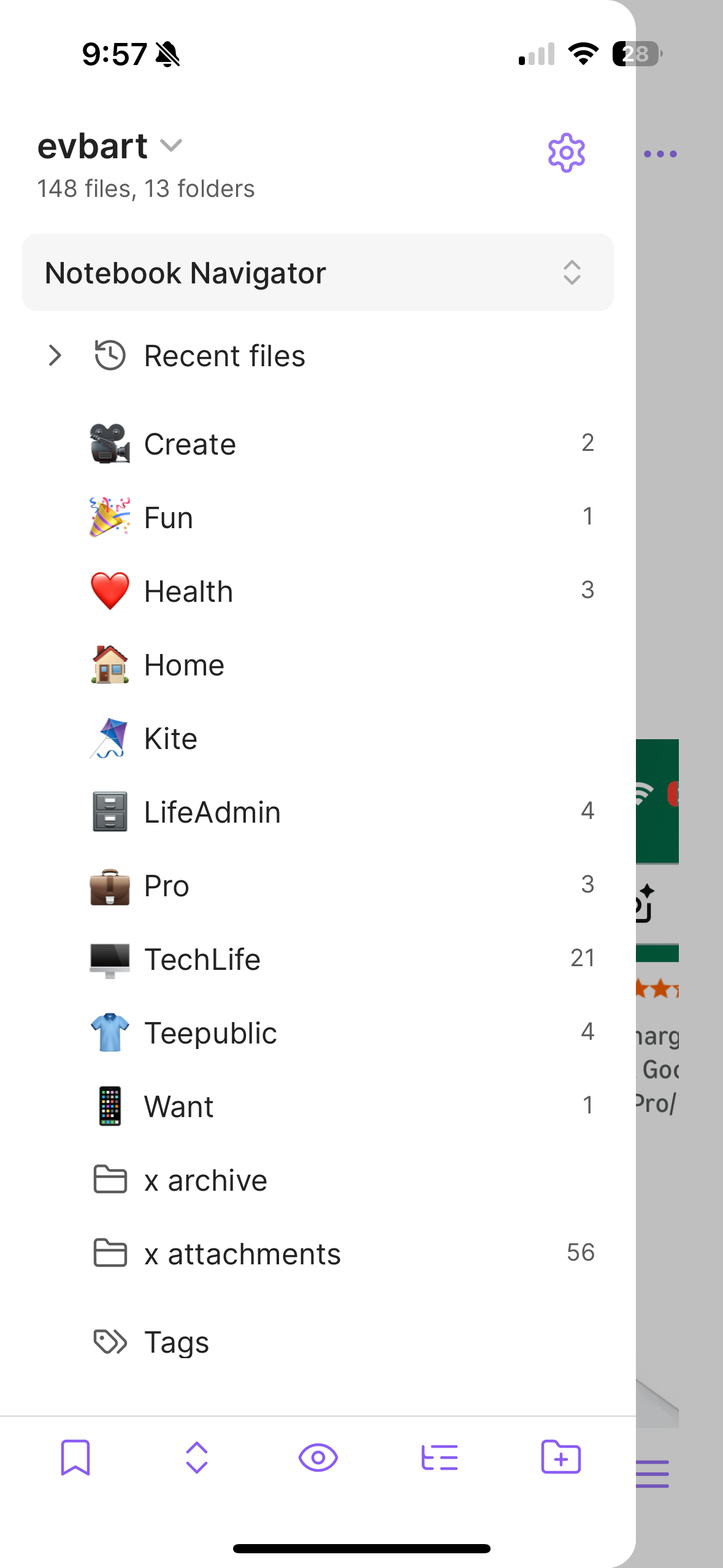
I also chose not to do a bulk import from Craft to better understand how much of my old notes system I still need access to. I just started from scratch and kept things simple. So far, I haven’t needed to use Craft much at all, and obsidian has been able to address all my needs (this implies that I don't go back and use my notes as long-term storage! Which is an interesting learning).
The compromises
So I had to be willing to give up a few things in the migration. First, obsidians UI is not as clean as Craft’s, that's very obvious. I had to trade aesthetics for functionality and flexibility. Given I recently did the same thing with migrating from Things 3 to TickTick, that seemed to be a big theme for me in 2025.
Next, the iOS apps are not as clean or as optimized for mobile use as Craft was. I heard there were some improvements coming, but for now, the mobile apps are not as good.
I did all this in the name of speed, and so far, I’m happy with how it's working. I do miss the “feel” and the “look” of Craft, but I no longer feel like I’m fighting with my note application to find something I jotted down last week.